NokGridCore
An open-source design system built specifically for dashboards. 25+ products audited, 80+ patterns synthesised, zero components built from assumption.
80+
Patterns synthesised across twenty-five (25+) products.
context
NokGridCore
NokGridCore is an open-source design system built for dashboards. Tokens flow through an automated pipeline from Figma into code, so when a value changes in one place, it changes everywhere. No hard-coded values, no manual syncing.
I chose dashboards as the domain because nearly every product team builds or maintains one. Over 60% of organisations now embed analytics directly into their business applications, and roughly 61% of professionals prioritise visual dashboards over traditional spreadsheets for data-driven decisions. Dashboards are everywhere — and they're one of the most component-heavy interface types: KPI cards, data tables, filter systems, chart containers, navigation shells, all relying heavily on colour semantics for status indicators, severity levels, and chart palettes. If the pipeline handles dashboard complexity, it generalises to simpler interfaces.
Why this needs to exist
Generic design systems don't serve dashboards
Libraries like MUI or Radix provide Card, Table, Input. Dashboards need KPI.Value.Delta, Table.Analytics.Cohort, Filter.Sidebar.Accordion. The naming, the component taxonomy, and the interaction patterns are domain-specific.
Design-code drift has no automated fix
Designers update tokens in Figma, developers hard-code old values in CSS. No pipeline keeps them in sync, and the gap compounds silently.
No research-backed dashboard component standard exists
Teams building dashboards start from scratch every time, recreating the same KPI cards, filter systems, and table patterns without any shared reference for what's universal and what's domain-specific.
Constraints
Key Constraints
Solo project, no team, no funding — every decision has to be high-leverage. Must be open-source and credible enough for real adoption. Must bridge design and code with an automated pipeline. Dashboard specialisation is deliberate — the system is opinionated about dashboard patterns, not trying to serve every possible UI.
Research & Design Strategy
Dashboard Audit & Pattern Synthesis
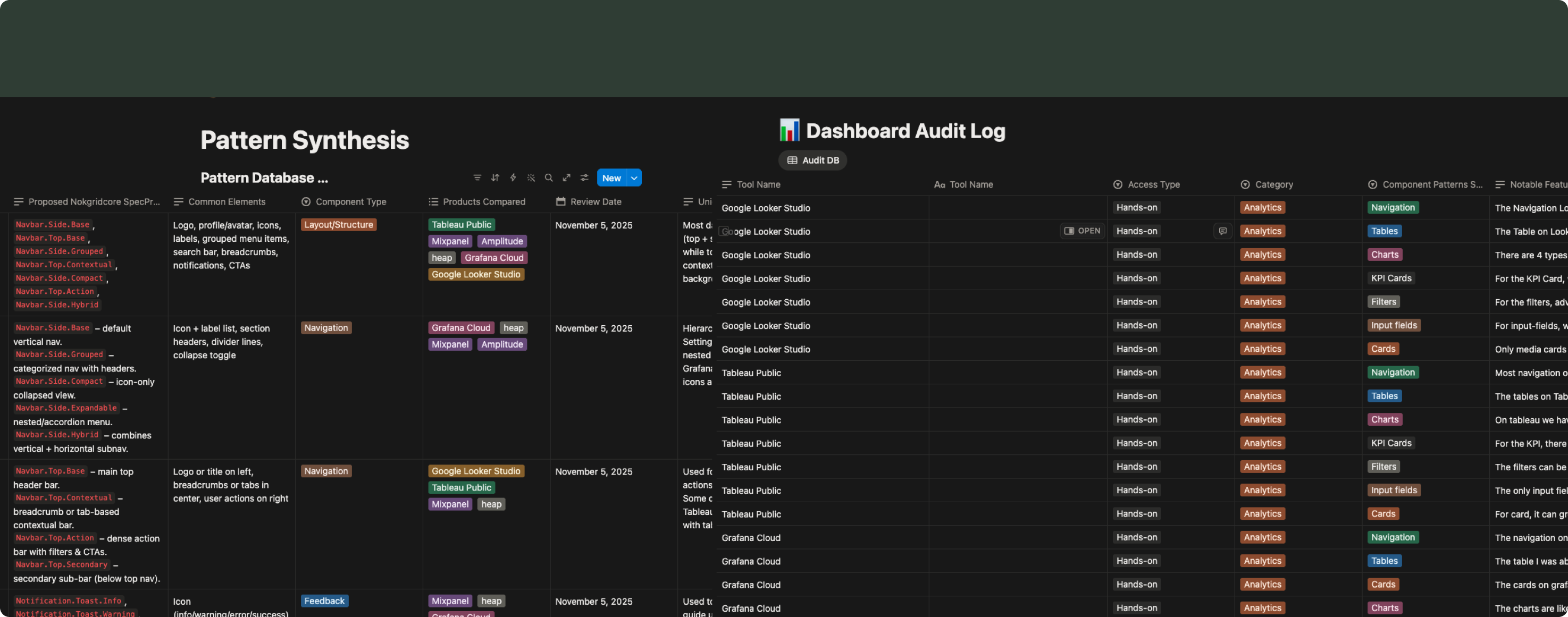
Before designing a single component, I audited 25+ dashboard products to understand what patterns actually recur, how they vary, and which are universal enough to standardise.
Core audit (6 tools, full hands-on): Amplitude, Looker Studio, Tableau, Grafana, Mixpanel, and Heap. I used each tool directly and documented 40+ distinct pattern types across navigation, tables, charts, KPI cards, filters, inputs, and forms.
Extended validation (15+ tools, lighter review): Semrush, HubSpot, Shopify, Stripe, Databox, Geckoboard, Klipfolio, Xero, and others across Marketing, CRM, E-commerce, Finance, and Dashboard Builder categories. Reviewed through screenshots, demos, and docs to confirm that the patterns from the core six generalise across domains.
Pattern synthesis
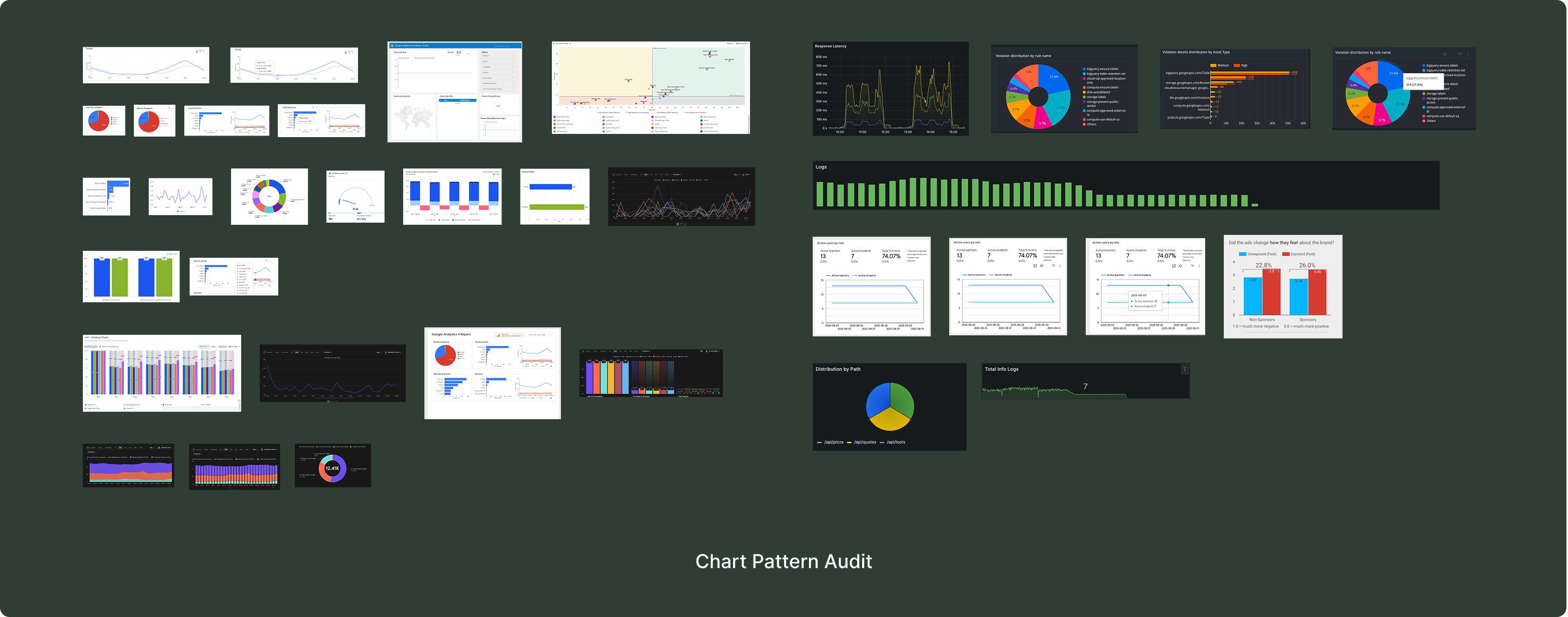
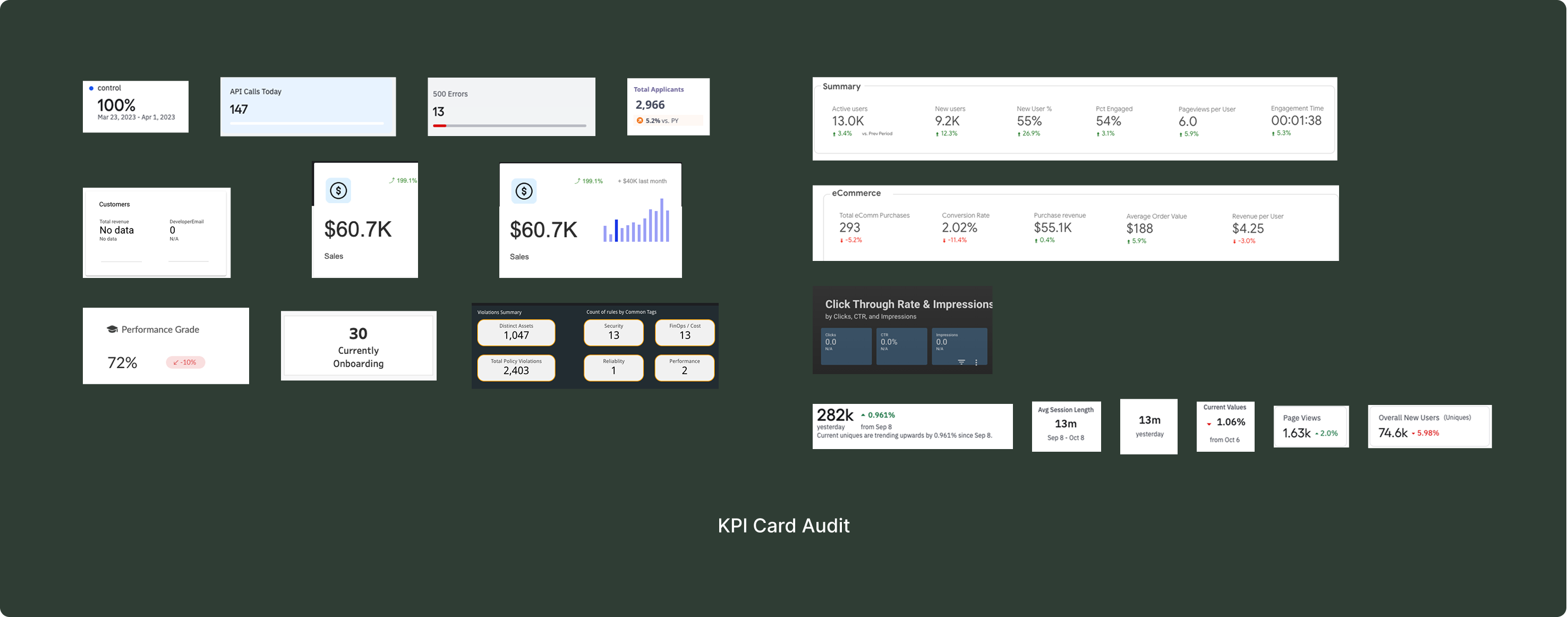
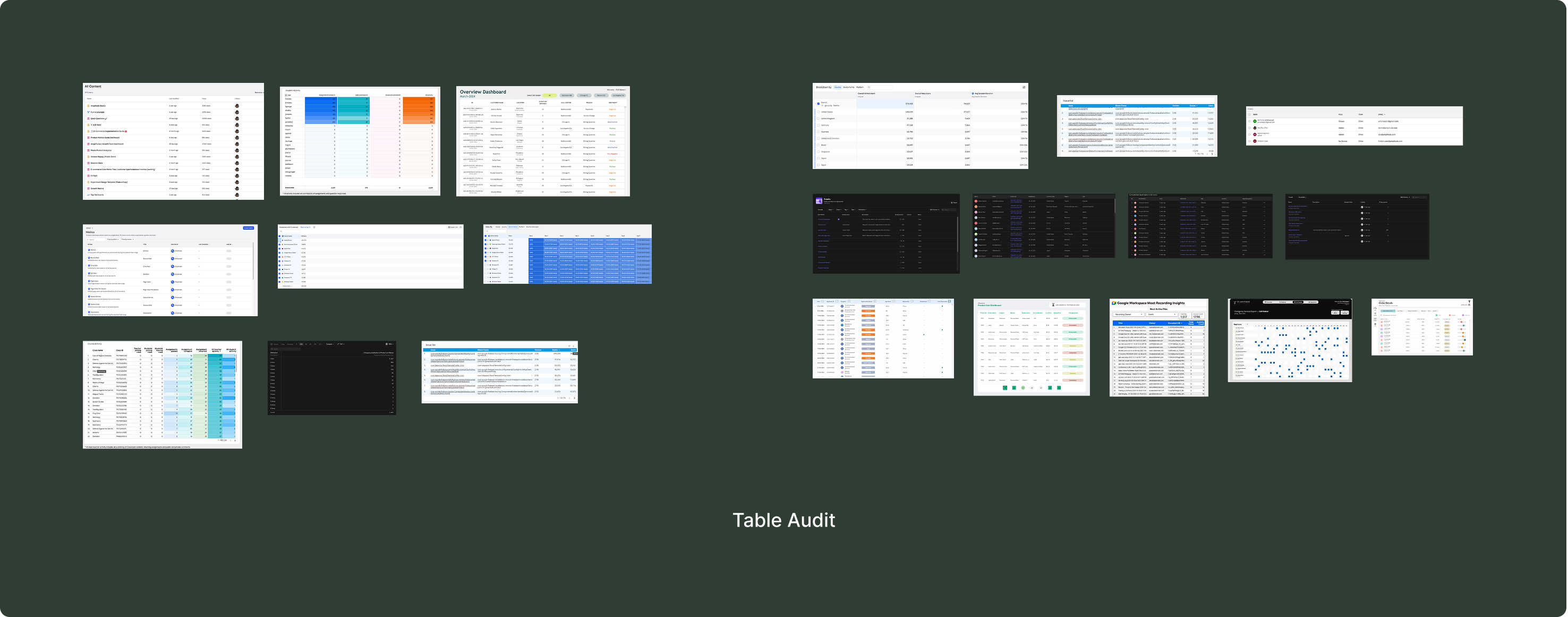
The raw audit produced 88 entries. I synthesised these into distinct patterns grouped by component family:
Tables (7 patterns): The most structurally varied family — data tables, breakdown tables, heatmaps, log tables, contextual dashboard tables, record tables, and cohort/funnel tables. Each has a different data model, not just a different visual layout.
KPI Cards (5 patterns): The most dashboard-specific component — they don't exist in generic UI libraries at all. Value, Trend, Grouped, Status, and Summary variants, each serving a different analytical purpose.
Charts (19 patterns): Audited as container and interaction patterns, not charting library implementations. Line, Area, Bar, Pie, Funnel, Heatmap, Scatter, Gauge, Map, Combined, Treemap, Progress — the variation is mostly visual, unlike tables where the underlying data model changes.
Filters, Dropdowns, Inputs & Forms (37 patterns): The largest synthesis. Filter systems are the most complex interaction patterns in the dashboard domain — they combine dropdowns, date pickers, toggles, and search into compound UI that generic libraries don't model at all.
Navigation (5 patterns) and Feedback (4 patterns) rounded out the inventory.
Strategy: Component Taxonomy & Priority
Generic component libraries name things generically: Card, Table, Input, Select. NokGridCore serves one domain — dashboards — and the naming reflects that. The taxonomy uses a three-part convention: Family.Type.Variant.
- KPI.Value.Delta: A KPI card showing a single metric with a comparison delta. Not “Card with number and subtitle.”
- Table.Log.Expandable: A table for chronological event data with expandable rows. Not “Table with accordion.”
- Table.Analytics.Cohort: A table for retention or funnel analysis with colour-encoded progress. Not “Table with coloured cells.”
- Filter.Sidebar.Accordion: A persistent sidebar filter container with collapsible sections. Not “Panel with dropdowns.”
A developer searching for “KPI” finds every KPI pattern. A designer looking for “Table.Analytics” finds analytical table variants without wading through log tables. The names were extracted from what 25+ real products actually build.
With 80+ patterns, building everything at once wasn't possible solo. I split the taxonomy into two priority tiers based on how frequently each pattern appeared across audited products:
- P1 — Core Functional: Appeared in nearly every dashboard. Inputs, Dropdowns, Filters, Tables, KPI Cards, and core Charts. A dashboard missing a KPI card is broken.
- P2 — Experience Layer: Appeared in most but not all products. Navigation, Feedback, Cards, Layout templates. A dashboard missing a breadcrumb is usable but rough.
KPI cards and tables appeared in every product audited. Breadcrumbs appeared in fewer than half. The research frequency data drives what gets built first.
Architecture
Token-First Architecture
No component gets built without tokens defining its visual properties. The pipeline runs from Figma through to production React components:
- Figma Variables: Tokens defined for colour, typography, spacing, border, and icons. The single source of truth for all design decisions.
- Token Studio: Exports everything as tokens.raw.json, the structured handoff between design and code.
- Style Dictionary: Transforms raw tokens into three outputs: CSS variables, a Tailwind theme extension, and a TypeScript token map.
- React 18+ components: Consume tokens through props. No hard-coded values anywhere in the component layer.
- Storybook: Documents every component with live token values so the design and code representations stay visually verifiable.
The token system follows a two-layer architecture: global primitives (raw values) and semantic tokens (purpose-driven mappings like Chart.1–10 for data visualisation colours). Components consume semantic tokens only — no hard-coded values. So if you update chart-blue-500 at the primitive level, the semantic token Chart.3 updates, and every line chart, bar chart, and legend using that colour picks up the change automatically.
The architecture uses a monorepo with two npm packages: @nokgridcore/tokens (CSS variables + Tailwind theme + TypeScript map) and @nokgridcore/ui (React 18+, TypeScript, TailwindCSS). Build tooling runs on Turborepo with pnpm workspaces.
Impact
Outcomes
Current state
To be direct: the research and architecture are complete, but no components have shipped yet. Implementation is queued for development. Where things stand:
- Research (Audit + Synthesis) — complete: 88 audit entries, 80+ synthesised patterns, Figma screenshot archive, Notion database.
- Taxonomy (Naming + Tiers) — complete: Full component hierarchy, P1/P2 classification, Family.Type.Variant naming convention.
- Token Architecture — defined: Pipeline design, monorepo structure, @nokgridcore/tokens and @nokgridcore/ui packages scoped.
- Component Implementation — queued: P1 components in Figma and React, Storybook documentation, npm publish.
One design decision worth noting: chart patterns are defined as container and interaction patterns rather than rendering implementations. This keeps the system from being tied to any specific charting library.
Target metrics (implementation phase): Component coverage ≥90% of dashboard UI patterns. Design-to-code visual variance ≤5%. Design handoff velocity ≥30% faster than building from generic libraries. At least 1 production dashboard built on NokGridCore. npm packages published. Storybook documentation live.
reflection
Conclusion
NokGridCore started from a frustration with how design systems actually work in practice. I'd seen the disconnect firsthand — design tokens in Figma, hard-coded values in CSS, and no pipeline keeping them in sync. NokGridCore is my attempt to build a system from scratch, in the open, with the pipeline as the core product.
The research phase was the most important investment. Auditing 25+ products before designing anything forced me to ground the library in evidence. The pattern synthesis revealed things I wouldn't have predicted — tables are more structurally varied than charts (7 distinct table types with different data models vs. 19 chart types that are mostly visual variations of the same axis-and-series pattern). That shaped both the taxonomy and the priority tiers.
The domain-aware naming was a deliberate bet. Calling something KPI.Trend.Sparkline instead of Card.WithChart makes NokGridCore immediately legible to anyone building dashboards, but it limits the system's applicability outside that domain. The specialisation is what makes the research credible and the components useful.
Implementation is queued for after I complete my frontend engineering foundations. I want to build the React components myself, not hand off specs. The case study will be updated as implementation progresses.